
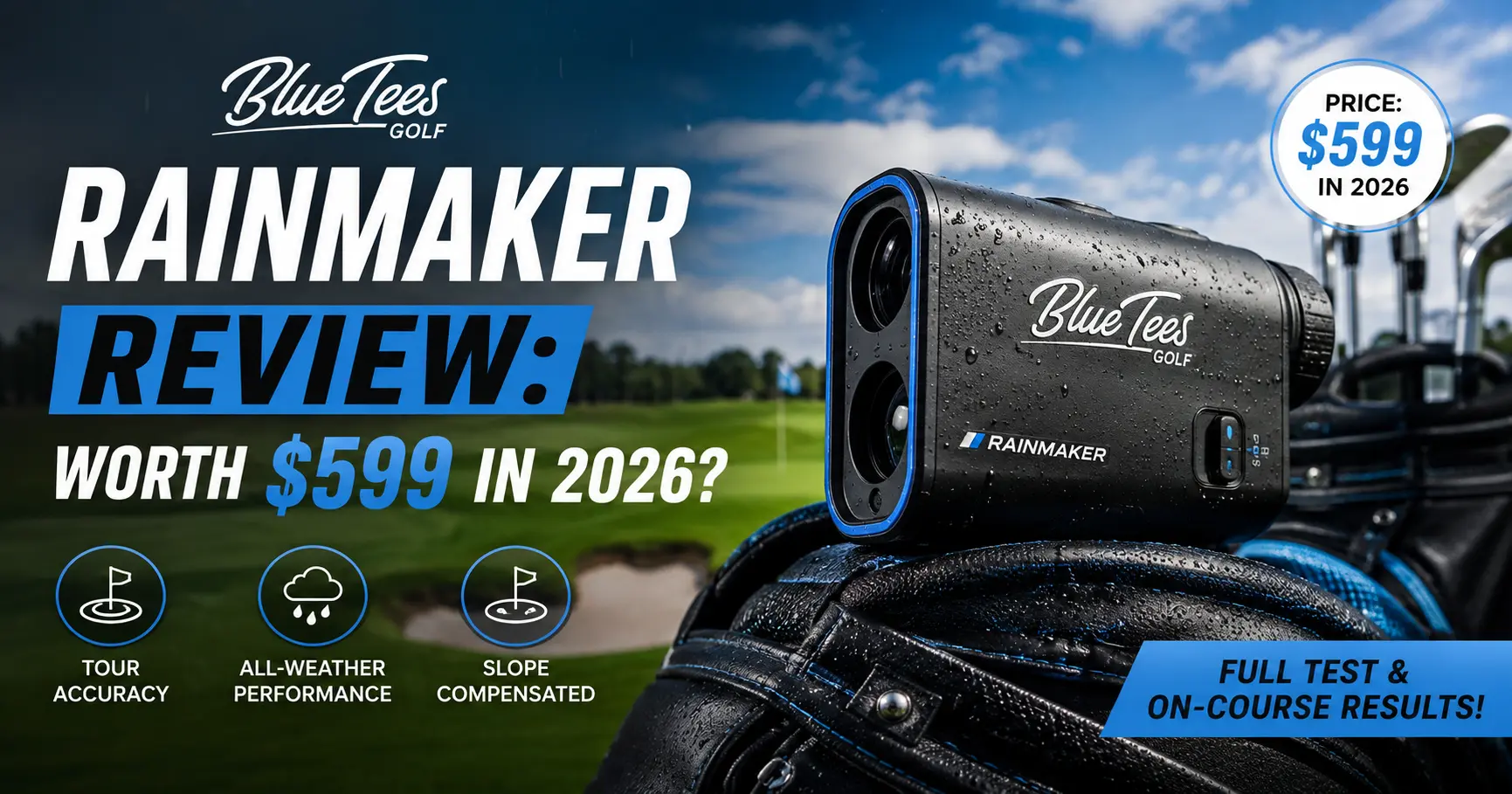
Quick Answer: The Blue Tees Rainmaker is a $599.99 Doppler radar launch monitor with a 4.3-inch display, 20+ tracked metrics, and GSPro compatibility. Core numbers like ball speed and carry distance are solid for the price, but attack angle and total distance run high, and the app subscription becomes a real cost after year one.
Blue Tees spent years building rangefinders and GPS speakers before it ever touched a launch monitor. The Rainmaker is that first attempt, and it’s an unusually ambitious one for $599.99. A 4.3-inch display, more than 20 tracked metrics, and simulator software support are things you used to pay well over $1,000 to get. The real question isn’t whether Blue Tees packed in a lot, but whether the data holds up once you’re actually hitting shots and whether the subscription math still works once the free first year runs out.
What the Blue Tees Rainmaker Actually Is
At its core, the Rainmaker is a phased-array Doppler radar unit that sits behind your ball and reads it the instant it takes off. Blue Tees built a 4.3-inch color TFT display directly into the unit, so you don’t need a phone, a tablet, or a Wi-Fi connection just to see your numbers.
Three standalone modes come loaded on the device. Practice Mode tracks full data on every shot you hit. Swing Speed Mode measures pure clubhead speed with no ball required, which is handy in a hallway or a garage. Target Distance Mode has you call a yardage and swing at it, then grades your dispersion against that target.
Out of the box, the unit tracks 13 metrics directly on-screen: ball speed, launch angle, launch direction, apex, carry and total distance, back spin, side spin, spin axis, attack angle, club speed, club path, and smash factor. Connect it to the Blue Tees LAUNCH app and seven more calculated metrics become available, things like descent angle, hang time, and landing spin. That’s more than 20 total data points on a device priced under a mid-range driver.
The Rainmaker is rated IPX4 for water resistance, so a stray drizzle or a knocked-over drink won’t take it out, though you shouldn’t submerge it. Blue Tees says the unit stores up to 1,000 shots onboard, which means you can leave your phone in the bag all session and sync everything once you’re home. Battery life runs up to seven hours per charge.
Setup and Hardware: The Handle-Stand Is the Smartest Idea at This Price
Setup takes about as long as it takes to read this paragraph. Place the Rainmaker roughly five feet behind your ball, level with it, and pointed down your target line. A built-in level indicator on the display helps you nail the angle, and the whole routine takes under a minute once you’ve done it twice.
The handle doubles as the stand, and that single design choice is smarter than almost anything else on a launch monitor at this price point, full stop. Flip it down, set the unit, and you’re already hitting balls. No separate tripod, no extra bag space, no fumbling with legs on an uneven range mat.
A detachable magnetic remote stores right on the device and lets you swap clubs, change modes, or flip screens without bending down between shots. The arrow buttons sit tightly grouped, though, and it’s easy to mash the wrong one when you’re moving fast. Small complaint, but you’ll notice it by your second bucket of balls.
The carrying case punches above its price bracket too. Everything nests into a formed tray with no loose parts rattling around, which matters more than it sounds like it should once you’re tossing this thing in and out of a trunk every week.
Simulator Compatibility: GSPro, E6 Connect, and What’s Still Missing
The Rainmaker currently connects to GSPro, though that integration is still running through a public beta rather than a full release. Blue Tees has announced E6 Connect support but hasn’t made it live yet, describing it as coming soon without a firm date.
Blue Tees has also talked about building its own native simulation software down the line, separate from either GSPro or E6. Nothing about that software’s feature set or release window is public yet, so treat it as a future bonus rather than a reason to buy today.
One more thing worth flagging here: the Rainmaker doesn’t read putts. In simulator play, that means an auto-putt system takes over once your ball reaches the green, which is standard for radar devices in this price range but still worth knowing before you assume you’re getting full 18-hole simulation out of the box.
How Accurate Is the Blue Tees Rainmaker, Really?
Ball speed and carry distance are where the Rainmaker earns its price tag. Independent side-by-side testing against a Foresight GCQuad found ball speed readings within 1 mph most of the time, with carry distance typically landing within 2 to 3 yards. For a $599 device, that’s a legitimate result, not a marketing number.
Two weak spots show up consistently across independent testing, and you should know about both before you buy. Attack angle tends to read a few degrees higher than it should. One tester with a known neutral-to-slightly-positive attack angle saw the Rainmaker report a positive three degrees on a flat, low-spin drive, a number that didn’t match anything else he could verify visually or with a rangefinder.
Total distance runs hot too. A rangefinder confirmed one drive at roughly 230 yards, but the Rainmaker’s display read 260 on that same swing in one documented test. Carry distance, the number that actually matters for club selection, held up far better than total distance did. For what it’s worth, the SC4 Pro has its own bias toward inflated spin numbers, and the Garmin G82 has run a bit hot on club speed in the same testing, so no radar unit in this bracket is bias-free.
Short game is the third weak spot. Shots under about 50 yards mostly failed to register at all in testing, so don’t count on the Rainmaker to help you dial in wedge distances the way it helps with full swings.
Indoors, spin numbers get noticeably less reliable without radar-enhanced golf balls. Blue Tees has said it’s working with Titleist to certify RCT ball compatibility, similar to what Garmin already offers on the R10, but that support wasn’t available at launch. Until it arrives, treat any indoor spin reading with some skepticism, especially with wedges.
The Blue Tees LAUNCH App (and Why There Are Two Apps)
Here’s something that trips people up before they even open the box. Blue Tees runs two separate apps. The GAME app handles the Captain rangefinders and Player Pro speaker, while the LAUNCH app is exclusively for the Rainmaker. Link both accounts once and data flows between them on its own, but you do need both apps installed to get the full picture.
The LAUNCH app adds the seven calculated metrics mentioned earlier, plus 3D range simulation, dispersion charts, and unlimited shot storage. You build a virtual bag with your actual clubs, and every session adds to your running averages. Editing or deleting a bad shot takes two taps, which matters more than it sounds once you’ve fat-shotted a wedge and watched it try to become your new stock number.
One real limitation: the club selector groups clubs into driver, woods (3-wood and 5-wood only), irons 3 through 9, and three wedges. If you carry a 7-wood, a mini driver, or more than one hybrid, you’ll end up logging shots under a label that doesn’t match your actual club. If you’re not sure whether your own bag even needs a 7-wood or a hybrid in that gap, our breakdown of fairway woods vs. hybrids is worth a look before the club selector starts frustrating you.
Real Total Cost: What the Rainmaker Costs After Year One
Every review of the Rainmaker mentions the $599.99 sticker price. Almost none of them walk through what happens after year one, when the currently free GAME AI + LAUNCH App package reverts to its regular $79.99 annual cost. That number changes the math against competitors that never charge a subscription at all.
| Device | Sticker Price | Year 1 App Cost | Year 2+ App Cost | Two-Year Total |
|---|---|---|---|---|
| Blue Tees Rainmaker | $599.99 | Free (promo) | $79.99/yr | $679.98 |
| Garmin Approach R10 | $599.99 | Free, no subscription needed | Free | $599.99 |
| Swing Caddie SC4 Pro | $599.99 | Free, no subscription needed | Free | $599.99 |
| Rapsodo MLM2PRO | $699.99 | Free (45-day trial) | $199.99/yr | $899.98 |
None of the four devices charge you anything extra for full functionality in year one. The real split shows up in year two. The Rainmaker and the MLM2PRO both start billing annually for full features, while the R10 and SC4 Pro never do.
That doesn’t make the Rainmaker a bad deal. Seventy-nine dollars a year is a fraction of what Rapsodo charges, and you still get a built-in screen and GSPro access that the R10 doesn’t offer. It just means the common comparison you’ll see elsewhere, that it costs the same as the R10, stops being true once you look two years out.
Blue Tees Rainmaker vs. Garmin R10 vs. Swing Caddie SC4 Pro vs. Rapsodo MLM2PRO
| Fact | Blue Tees Rainmaker | Garmin Approach R10 | Swing Caddie SC4 Pro | Rapsodo MLM2PRO |
|---|---|---|---|---|
| Price | $599.99 | $599.99 (often $499–549 on sale) | $599.99 | $699.99 |
| Built-in screen | Yes, 4.3″ | No | Yes | No |
| Metrics tracked | 20+ | ~14 | 9 on-device | 15 |
| Camera | No | No | No | Yes, dual camera |
| Simulator software | GSPro (beta), E6 coming | Home Tee Hero (native) | E6 Connect | GSPro, E6, Awesome Golf |
| Ongoing subscription | $79.99/yr after year 1 | None required | None required | $199.99/yr after trial |
| Best for | Screen + budget sim bridge | Simplicity, Garmin ecosystem | No-subscription budget pick | Serious data plus swing video |
Line these four up and a pattern shows up fast. The Rainmaker and the SC4 Pro are the only two with a built-in screen at this price, which matters if you’d rather not pull your phone out between every shot. The R10 wins on simplicity and its native Home Tee Hero software. The MLM2PRO is the only one with real cameras, and it’s the pick for anyone who wants to see their swing, not just read numbers about it.
If a subscription of any size is a dealbreaker for you on principle, buy the SC4 Pro and don’t look back. It matches the Rainmaker’s price and screen-driven convenience with zero ongoing fees, even though its on-device metric count is thinner.
The Ecosystem Angle: Does the Rainmaker Actually Help Your Rangefinder?
Here’s the part almost nobody outside of one review talks about, and it’s the biggest differentiator if you already own Blue Tees gear. If you have a Captain Pro or Captain Air rangefinder, the GAME app’s AI Caddie feature normally recommends clubs based on distances you type in yourself. That’s only as good as your memory, and most golfers overestimate how far they carry every club in the bag.
The Rainmaker changes that input. Instead of a guess, your rangefinder’s club recommendation now pulls from actual carry numbers logged during Rainmaker sessions, and it keeps updating every time you sync a new practice round. Your 7-iron carry isn’t what you think it is anymore. It’s what the radar actually measured last week.
This is worth pairing with a good rangefinder on the course too, since the Rainmaker itself is a range tool, not something you’d carry hole to hole. A rangefinder handles the live yardage while the Rainmaker builds the distance profile behind it.
For golfers who own zero other Blue Tees products, this feature is completely irrelevant. It only matters if you’re already in the ecosystem, or seriously considering getting into it.
Who Should Buy the Blue Tees Rainmaker (and Who Shouldn’t)
Buy it if:
- You want a built-in screen so you’re not staring at your phone between every shot
- You already own a Blue Tees rangefinder or speaker and want club recommendations built on real data instead of guesses
- You want GSPro access without spending more than $599.99 upfront
- You practice mostly full swings and don’t need reliable wedge-distance data under 50 yards
Skip it if:
- Any ongoing subscription is a dealbreaker for you, in which case the SC4 Pro gets you a screen at the same price with zero fees
- You carry a 7-wood, a mini driver, or multiple hybrids and want the club selector to label them correctly
- You want swing video or the tightest possible spin accuracy, where the Rapsodo MLM2PRO’s camera system still wins
- You’re building a serious indoor sim setup today and need E6 Connect or certified RCT ball support right now
Frequently Asked Questions
Is the Blue Tees Rainmaker accurate?
For full swings, yes, within a reasonable margin. Ball speed typically lands within 1 mph of premium units and carry distance within a few yards. Attack angle and total distance run higher than they should, and shots under 50 yards mostly don’t register at all.
Does the Blue Tees Rainmaker require a subscription?
Not for basic use. The on-device screen works standalone across all three practice modes. Full app features, including the extra calculated metrics and simulation, run on a $79.99 annual subscription that’s currently free for the first year through a promotional bundle.
How does the Blue Tees Rainmaker compare to the Garmin Approach R10?
The Rainmaker adds a built-in screen and GSPro compatibility that the R10 doesn’t have, but the R10 skips any required subscription and ships with its own native Home Tee Hero simulator software. Both list at $599.99.
Can I use the Blue Tees Rainmaker on the golf course?
It’s built for range and practice use, set up five feet behind your ball, which isn’t practical mid-round. For live on-course yardages, pair it with a Blue Tees rangefinder like the Captain Pro instead.
Does the Blue Tees Rainmaker work indoors?
Yes, and the display and radar behave the same way indoors as outdoors. Spin data is the exception. Without radar-enhanced golf balls, which Blue Tees hasn’t certified yet, indoor spin numbers are noticeably less consistent than outdoor readings.
Bottom Line: Is the Blue Tees Rainmaker Worth It?
The Rainmaker is a genuinely strong first launch monitor from a company that had never made one before. The screen, the handle-stand design, and the sub-$600 price all deliver on what Blue Tees promised. Accuracy holds up for full swings, even with attack angle and total distance running a little hot.
Where it asks you to think twice is the subscription math and the club selector. Neither one is a dealbreaker by itself. Together, they’re worth weighing against the SC4 Pro if a screen is your main reason for buying and you’d rather skip a yearly fee entirely.
If you’re building a real distance profile for every club, a launch monitor session is only step one. Pair the numbers with a proper club distance chart so you know exactly where your gaps sit, not just what your driver did on its best swing of the day.